
When you buy through our links, Insider may earn an affiliate commission. Learn more
Google Chromebooks are known for being affordable and simple to use, but they also tend to be weak and restrictive compared to traditional Windows laptops. But Google’s new line of Chromebook Plus laptops, which feature faster processors and more storage space than almost any Chromebook released before, are the company’s best chance to break that perception. They’re meant not only for students and casual users, but also content creators, AI enthusiasts, and even gamers.
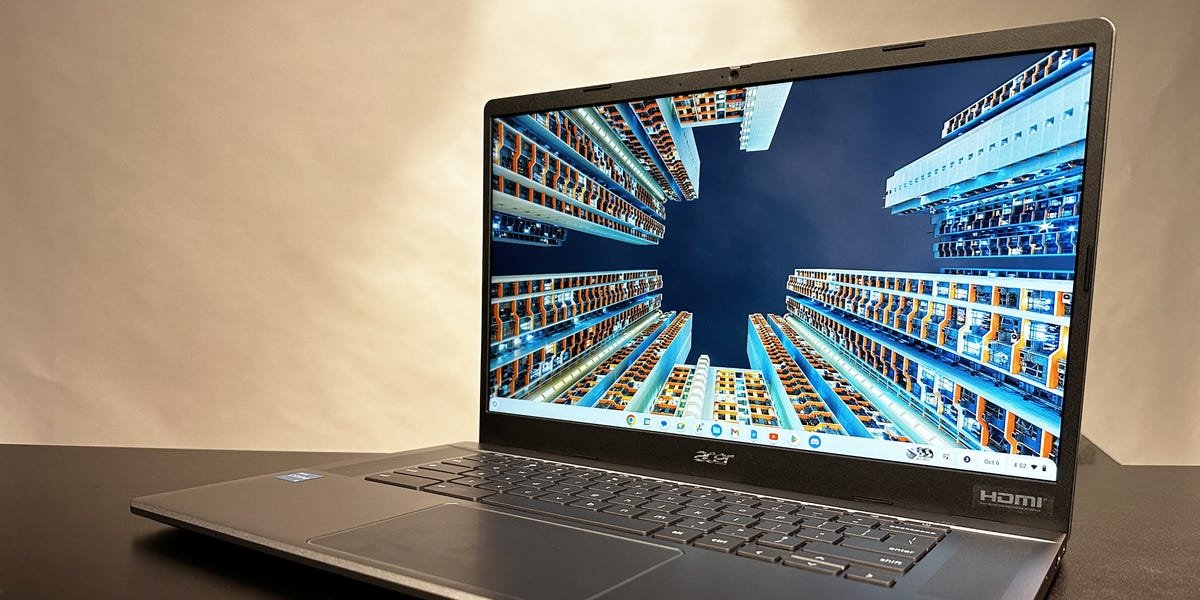
One of the first Chromebook Plus laptops to hit the market is the Acer Chromebook Plus 515. This 15.6-inch model features a fast Intel processor, a sharp 1080p camera, and a long-lasting battery, alongside a suite of AI tools. It retails at $399, which is incredibly affordable for a Chromebook with its specs.
I’ve spent a few days with the Acer Chromebook Plus 515, testing it against other Chromebooks and checking out the new AI tools. And although I’m convinced its price and power make it the best Chromebook yet, I’d still struggle to recommend it to anyone who wants a true laptop — largely because of how annoying ChromeOS is.
Acer Chromebook Plus 515
The Acer Chromebook Plus 515 is one of the first Chromebook Plus models. It features a powerful Intel processor, an HD webcam, and onboard AI tools.
The Acer Chromebook Plus 515 sets a new standard for Chromebooks
William Antonelli/Insider
The best laptops offer top-tier power for competitive prices. When it comes to value for your money, the Acer Chromebook Plus 515 leads the pack. It’ll be hard to find a Chromebook that’s a better deal than this, especially as time passes and prices (hopefully) drop even lower.
The Plus 515 configuration I reviewed is equipped with an Intel Core i3-1215U processor, 8GB of RAM, and 128GB of storage. In the future, Acer claims it’ll offer models with up to an i7 CPU. That might not sound impressive to a Windows or MacBook user, but for a Chromebook, it’s pretty outstanding.
In my testing, the Plus 515 started up in a third of the time of the Lenovo Flex 5 Chromebook (i3-10110U, 4GB RAM), and half the time of the Google Pixelbook Go (i7-8500Y, 16GB). In a Geekbench test simulating real-world tasks, it performed about 30% better than the Flex 5 and about 70% better than the Pixelbook.
To be clear, the Plus 515 isn’t the most powerful Chromebook ever. For example, the Acer Chromebook 516 GE — which we consider the best budget gaming laptop for cloud services — has a better CPU (i5-1240P), GPU, and some more storage. But it also costs $650, hundreds of dollars more than the Plus 515’s $399. And for most Chromebook users, that performance increase isn’t worth the higher price. The Plus 515 is powerful and affordable.
It also has some supremely long battery life. Acer’s benchmark tests, with the laptop set to 50% brightness, show the Plus 515 lasting for eight to nine hours of internet browsing. In my testing, with brightness cranked all the way up and multiple apps running at once, I still got about six hours. That’s fantastic, especially for a light Chromebook like this that’s meant to be conveniently portable. And there’s no bulky proprietary charger; it’s all USB-C.
William Antonelli/Insider
The Plus 515 offers a few other extras as well. The onboard speakers are surprisingly high quality — you still won’t hear every detail in your favorite songs, but it’s far clearer than on other Chromebooks. The 1080p camera looks great, and the keyboard and trackpad feel effortless and smooth.
Every Chromebook Plus model also comes with a copy of Minecraft: Bedrock Edition, a year of Google One storage, three months of Adobe Photoshop on the web, three months of Nvidia GeForce Now cloud gaming, and 25% off the LumaFusion video editing app. Google also claims that all Chromebook Plus laptops will be eligible for at least 10 years of free updates — for the Plus 515, that means updates until at least 2033.
On the hardware side, the Plus 515’s biggest downside is its screen, which at 250 nits is incredibly dim, especially in well-lit environments. Photos look dull, and games with naturally dark lighting like Resident Evil 2 are an eyesore. Even videos with bright colors, like Netflix’s live-action “One Piece” adaption, look murky on the Plus 515’s screen.
Even with more speed, ChromeOS still feels awful to use
Acer
For all its strengths, the Plus 515 is still a Chromebook. And that’s its downfall.
All Chromebooks run on ChromeOS, a unique operating system built around your Google account. And compared to Windows or even macOS, using ChromeOS feels like walking around with a tranquilizer dart in your leg: Awkward, frustrating, and occasionally painful.
ChromeOS’ biggest issue has to do with how it handles apps. The majority of programs you’re familiar with on a PC or Mac, like Photoshop, Slack, and even Spotify, don’t have native Chromebook versions. Instead, you’re largely stuck using either their clunkier web browser versions, or mutated versions of the mobile Android apps that have buggy controls and fewer features. While writing this review I’ve had to restart my Plus 515’s mobile Discord app five times, since it crashes whenever I try to paste an image from my clipboard. It’s not fit for purpose.
Some Google websites, like YouTube and Gmail, have their own pre-installed apps that ChromeOS pesters you to use. But these standalone apps are the same as the website versions, except you can’t open or switch to new tabs. Using the standalone app is objectively worse than just going to the website.
The best word to describe ChromeOS is “restrictive.” You’ve got fewer apps, fewer ways to customize your user experience, and fewer options. The lack of storage space combined with Google’s emphasis on cloud storage through Google Drive also makes working offline harder, although the new File Sync feature makes that less of an issue.
To be clear, these limitations are an issue on all Chromebooks, so ChromeOS on the Plus 515 isn’t any worse than it is on other models. But despite its extra power, additional storage, and a few new features, the Plus 515 can’t overcome the inherent clunkiness of its operating system.
ChromeOS is simple, which might be a benefit for users who only ever need to check their email, watch YouTube, or write notes. But for any other task, it’s still inferior to Windows and macOS. It’s no wonder that students are becoming less and less able to navigate computers — they’re growing up with an operating system that discourages exploration and customization.
William Antonelli/Insider; CNN
Aside from the improved specs, the Chromebook Plus line’s big selling point is a suite of new AI tools. Unlike past AI features, you don’t need an internet connection to use most of these. Instead, they’re done on the device in real-time.
Some of these new features are great. The dynamic wallpapers that change based on the time of day are simple but beautiful. And the new options for editing your webcam picture — which include improving the lighting and blurring your background — look nice too. Multiple colleagues commented on how good my picture looked on Zoom calls.
Others, however, aren’t quite as impressive. Google Photos’ widely advertised Magic Eraser tool, which is meant to remove “unwanted objects” from pictures, has some pretty limited use. As you can see in the examples above, it does well with small, already negligible objects. But for anything truly major, it turns the photo into pixelated mush. This might work wonders for your aunt with bad eyesight, but it won’t fool most people.
And some are just strange. An AI tool coming next year will allow users to have an AI rewrite their social media posts to introduce more emotion — the examples that Google has shown off so far, one of which you can check out below, are cringe-worthy.
Another upcoming feature will use generative AI to create wallpapers and meeting backgrounds, which brings up a host of ethical questions about AI art theft and how Google is training these models. And that’s not even mentioning the wider issues with Google’s Bard AI misusing data.
Maybe I sound like a Luddite, but I’m not convinced by these AI features. They don’t add value to the Chromebook Plus for me — they’re at most quirky extras.
Should you buy the Acer Chromebook Plus 515?
Acer
Yes, if you’re looking for a good and affordable Chromebook!
One of the best qualities of Chromebooks has always been their low price. But the Plus 515 sets a new standard — not only is it a cheap Chromebook, but it’s a powerful cheap Chromebook. At this price point, there’s not much reason to buy any Chromebook weaker than this, unless you’re on a truly extreme budget.
Price is what sets the Plus 515 apart. But if money isn’t an issue, I’d upgrade to the Acer Chromebook 516 GE or the Acer Chromebook Spin 714. They’re both more powerful, and the Spin 714 even comes with a touchscreen so you can use the laptop as a tablet. And if you can snag them while they’re on sale, it’ll still be a budget buy.
And of course, this all assumes that you still want to deal with the constraints of ChromeOS. Personally, if I only had $400 to spend on a laptop, I’d pass on the Plus 515 and go for an Acer Aspire 3 or an HP 14-inch. They’re around the same price, but offer faster CPUs, more storage, and Windows 11, which means more freedom to use your favorite programs and customize your PC.
